

























polestar.com
AutomotiveLight
A generic page composed only from this pack's measurements: placeholder words in the site's colours, type, buttons and spacing.
Website specimen
1440 pxColors
7 colorsComponents
Get started
- button primary
- #ffffff text on #3a3c3f, r 9999px, h 48px, 16px/400
- card
- transparent, none, r 0px, shadow
- link
- #000000, no underline, 400
- header
- 22px, relative, 1 links at 16px
- hero heading
- 30px / 400, start aligned, max 384px
- forms
- 0 forms, 9 inputs. Required markers: 0. Help texts: 0. Label placement: no labelled inputs.
- icons
- Icons: 31 inline SVGs, filled/mixed; inspect brand references, sizes 16px/8px/26px/29px, stroke 20px.
Interaction and motion
- button primary: no hover change
- nav link "Polestar": no hover change
- body link "Get up to $25,000 off a new Polestar 4 c": no hover change
- focus button primary: no visible focus style measured (may rely on :focus-visible with keyboard only)
- focus body link: no visible focus style measured (may rely on :focus-visible with keyboard only)
- tooltips: Tooltip triggers exist (19 × title) but none opened on hover in the first viewport; title attributes fall back to the browser's native tooltip.
- menus: 4 aria-haspopup triggers exist; none opened on hover (click-to-open menus).
- motion: 330 elements carry transitions; typical 0.2s with ease, mostly on color, opacity, width. 1 running keyframe animations (onetrust-fade-in 0.4s 1). 21 sizable elements sit at opacity 0 before scrolling: scroll-reveal animations are in use (reveal on enter, fade + rise is the usual recipe).
Typography
1 familyPolestar UnicaSelf-hosted
headline-displayQuick brown fox30px / 400 / lh 32px / -1.2px
headline-lgQuick brown fox30px / 400 / lh 32px / -1.2px
headline-mdQuick brown fox30px / 400 / lh 32px / -1.2px
body-mdThe quick brown fox jumps over the lazy dog12px / 400 / lh 14px / -0.1px
label-mdThe quick brown fox jumps over the lazy dog13px / 400 / lh 1.4
buttonThe quick brown fox jumps over the lazy dog12px / 400 / lh 14px / -0.1px
Sizes in use
Spacing
5px unit- Content width
- 1216px
- Breakpoints
- 425, 768, 959, 960, 1248px
Radius
button 9999pxinput 9999pxcard 0pximage 0px
Shadows
3Theme
No dark mode responded to prefers-color-scheme, a theme toggle, or a root class/attribute.
Logo and icons
5 referencesComponent inventory
15 of 87 kinds · 22 variants · 17 states · 2 overlaysButton, ghost#000000 text on transparent, radius 0px, h 14px, padding 0px 0px 0px 0px, 12px/400, tracking -0.1px
hover, disabled: no change
Button, ghost-with-icon#000000 text on transparent, radius 0px, h 18px, padding 0px 0px 0px 0px, 16px/400, tracking -0.3px, icon left 16px
hover: no change
Icon button, ghost#ffffff text on transparent, radius 50%, h 32px, padding 0px 0px 0px 0px, 16px/400, tracking -0.3px, icon only 16px
hover, active (pressed): no change
Text link, plain#000000, no underline, 30px/400
rest: preview unavailablehover, active (pressed): not verified live
Text link, plain · main · 4#0000ee, no underline, 16px/400
hover, active (pressed): not verified live
Menu / dropdown trigger, ghost#000000 text on transparent, radius 0px, h 1px, padding 0px 0px 0px 0px, 16px/400, tracking -0.3px, icon only 8px
hover, open: no change
Menu / dropdown trigger, secondary#ffffff text on #3a3c3f, radius 50%, h 48px, padding 0px 0px 0px 0px, 16px/400, tracking -0.3px, icon only 24px
Footerh 625px, bg #f0f0f0, 10 link columns, 44 links, headings: Stay up to date on all the latest Polestar news, Explore & buy, Shop, Support, social links
rest: preview unavailable
Styled list7 items, marker decimal, gap 12px, item padding 0px 0px
rest only
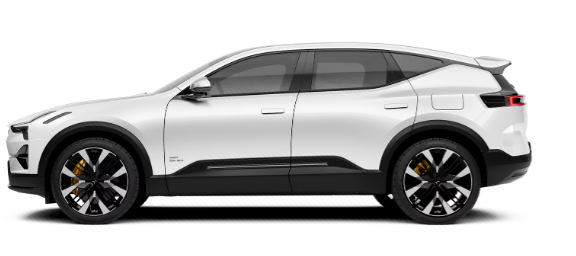
Image / figure, aspect-2.89535×185px, aspect 2.89, radius 0px, object-fit contain
rest: preview unavailable
Image / figure, aspect-2.89 · main535×185px, aspect 2.89, radius 0px, object-fit fill
rest: preview unavailable
Video / media embed1440×788px, radius 0px, no controls
rest: preview unavailable
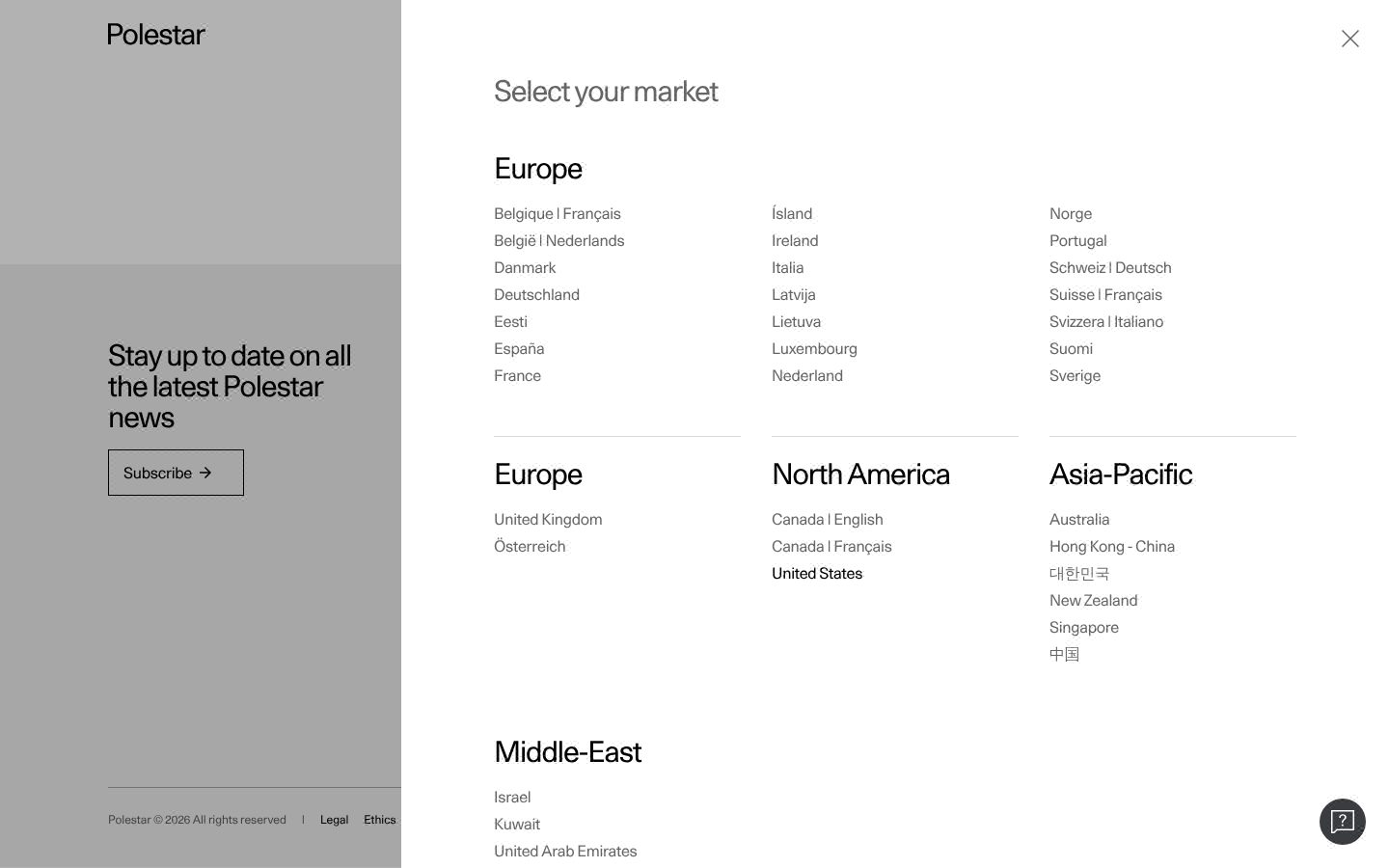
Drawer / sheet / off-canvas 11024×900px, from right, bg #ffffff, text #000000 16px, radius 0px, padding 0px 0px 0px 0px, no shadow, 38 items 48px tall in 2 columns, with icons, close button, page scroll locked
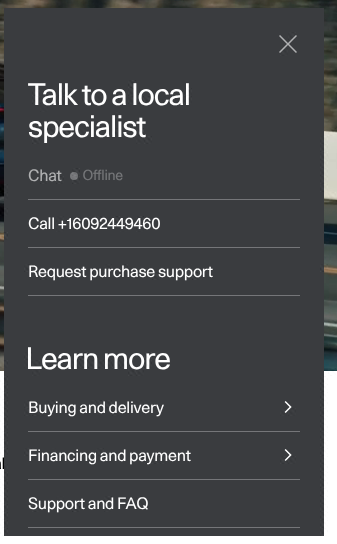
Dropdown menu 2320×528px, overlapping, 0px from the trigger, bg #3a3c3f, text #ffffff 16px, radius 0px, padding 0px 0px 0px 0px, no shadow, 7 items 48px tall, with icons, close button
Not on this page: Toggle / segmented control, Button group, Floating action button, Close / dismiss button, Text input, Search field, Textarea, Select (native), Combobox / custom select, Checkbox, Radio, Switch / toggle, Range slider, File input / dropzone, Date / time input, Input with attached button or addon, Field label, Help / hint text, Validation error text, Fieldset / form section, Header / navbar, Breadcrumb, Tabs, Pagination, Stepper / progress steps, Sidebar navigation, Skip link, Back to top, Social icon links, Theme toggle, Language / region switch, Tooltip, Popover, Dialog / modal, Toast / snackbar, Banner / announcement bar, Cookie / consent notice, Lightbox / media viewer, Badge / pill / tag, Chip (removable / selectable tag), Alert / callout, Progress bar, Spinner / loader, Skeleton / shimmer, Counter / notification dot, Empty state, Rating / stars, Card, Pricing card / plan, Feature item (icon + title + text), Testimonial / quote card, Stat / metric, List row / menu row, Table, Table row, Accordion / disclosure, Avatar, Avatar stack, Divider, Code block / inline code, Keyboard key, Blockquote, Carousel / slider, Logo strip, Icon, Eyebrow / kicker, FAQ block, Call-to-action band, Newsletter / signup form, Search results / listing row, Content container, Sticky bar.
Responsive
1440 / 1024 / 768 / 390 px| Viewport | Content | Gutter | Body | Heading | Header | Hero | Grids | Buttons |
|---|---|---|---|---|---|---|---|---|
| desktop 1440 | 1216px | 112px | 16px | 30px, 1 line, start | 22px, 1 links | media behind/overlapping text | 5→2 col; 5→2 col; 5→2 col | content-width |
| laptop 1024 | 896px | 64px | 16px | 30px, 1 line, start | 22px, 1 links | media behind/overlapping text | 5→2 col; 5→5 col; 5→2 col | content-width |
| tablet 768 | 672px | 48px | 16px | 30px, 1 line, start | 64px, hamburger (Open the menu) | media behind/overlapping text | 2→1 col; 2→1 col; 2→1 col | content-width |
| phone 390 | 343px | 23px | 16px | 30px, 1 line, start | 56px, hamburger (Open the menu) | media behind/overlapping text | 2→1 col; 2→1 col; 2→1 col | 12 full-width |
- H1 goes 30px → 30px (100%), 1 → 1 lines.
- Nav collapses to a hamburger by 390px (first seen at 768px); header 22px → 56px.
- Card grids: 2 columns → 1 column on phones (gap 0px 32px → 24px).
- Body text is 16px at the sampled desktop and phone widths.
- Phone side gutter 23px.
- 12 buttons stretch full-width on phones.
Files in the pack
97 filesStart with 32 kB of guide text. All the text in the pack is 490 kB; open the detailed files as you need them. Images are separate.
START_HERE.md92 lines
# Start here: polestar.com

Observed 2026-10-28T01:02:56.631Z; default light theme. This is a compact handoff, not the full evidence archive: everything you need to start is here, the detailed files are one step away.

## How to use this pack

1. Read `START_HERE.md` and `tokens.css` first: the priority values. Keep observed values; a value marked inferred or fallback is a suggestion to resolve against the screenshots.
2. Open `screenshots/desktop-1440-fold.png` and `screenshots/phone-390-fold.png` and match the composition, density, whitespace and image treatment; the values do not carry those. Treat the inside of an image or canvas as a visual inference, not measured DOM.
3. Read `FONTS.md` and load `fonts.css` before `tokens.css`. Keep exact weights and variable-font settings and verify the fonts that actually render. If a font is unavailable, name the substitute and compare its width and apparent weight before touching the type scale.
4. Before drawing any logo or icon, read `BRAND.md` and open `screenshots/brand-icon-1.png`, `screenshots/brand-icon-2.png`, `screenshots/brand-icon-3.png`: for a new product, create an original mark with the observed proportions and treatment; never guess a shape from a label.
5. Before building any control, read `COMPONENTS.md` (every variant and measured state, with a crop of each), use `components.css` for the CSS and `demos/` for a live copy of each component. A component listed as not found does not exist on the site; do not invent it.
6. Read `REGIONS.md` and inspect its context, detail and icon crops: reconstruct outer and inner surfaces, per-layer gradients and shadows and group spacing (`regions.css` has the recipes), then check the whole page again.
7. Read `BEHAVIOR.md` for hover, focus, tooltips, menus, motion, scrolling, tables, forms, text and each breakpoint, and reproduce the behaviour, not only the colours. No alternate theme was verified; use the observed theme unless another is requested.
8. `layout.html` is a generic page composed only from this pack's measured values, with placeholder copy: open it to see the colours, type, recipes and spacing working together and to check your own wiring of the fonts and tokens against it. It is not the site's composition; the screenshots are.
9. `DESIGN.md` has the whole system when a value is missing above. `evidence.json` is diagnostic data: never in the first read.
10. When done, render at desktop, 390px and 320px, compare with the screenshots, fix the biggest visible mismatch first (usually type size, whitespace or image treatment), recheck keyboard focus, overflow, navigation and forms, and repeat.
11. For another site's design, run `npx stylepack-cli <host>` in the project (it downloads that pack and records it the same way), or fetch https://stylepack.ai/packs/<host>/pack.zip; one question at a time is at https://stylepack.ai/packs/<host>/fonts, /colors and /buttons.

## Priority values and evidence

Values labeled fallback were not observed for that role; inferred-role means a visible heading was mapped to a display role. Keep observed values, but treat fallbacks as suggestions.
Keep measured sizes, tracking, radii and colors unless the new content requires an explicit adaptation. Do not enlarge the headline simply to fill a different line length.
Content width: 1216px. Inferred spacing base: 5px; sampled scale: 5, 10, 15, 25, 30, 65, 80, 110px. Observed CSS breakpoints: 425, 768, 959, 960, 1248px.
Colors: background=#ffffff; surface=#f0f0f0; surface-2=#b3b3b3; foreground=#000000; muted-foreground=#666666; primary=#3a3c3f; on-primary=#ffffff.
- primary: Selected from measured button, link, text, painted-area and theme colors. It is not proof of a filled primary button; follow the observed component recipes.
Radii: button 9999px, card 0px, input 9999px, image 0px.
Shadows: rgb(255, 255, 255) 0px 0px 0px 1px inset; rgba(0, 0, 0, 0.3) 1px 0px 0px 0px; rgb(0, 0, 0) 0px 0px 0px 1px inset.

## Typography

Load fonts.css before applying tokens.css. FONTS.md contains the observed face/weight inventory and rendered-font checks. A CSS family name alone does not load a font.
Copy the supplied @font-face sources verbatim; do not replace a captured face with Google Fonts merely because its name looks similar. Keep fonts.css linked (or inline it verbatim for a single HTML deliverable). It includes measured semantic font defaults; tokens.css supplies scale and spacing. Use each role as a complete recipe: family, exact numeric weight, size, line height, tracking, font-feature-settings (including cv/ss stylistic sets), optical sizing and variable-font settings. A font shorthand resets feature settings; reapply the supplied longhands after it. Do not round 510 to 500/600, or turn a measured light style into a bold heading.
Use the captured family first. Self-hosted is a hosting location, not an availability verdict. An unverified probe is not evidence of failure; do not choose the optional fallback merely because it is familiar. Substitute only after an actual failed destination request or missing licensed source; record that reason and the replacement. A transient network error merits a retry before redesigning the typography.
Fallback roles are unmeasured suggestions. If a role is absent, start from the nearest observed text treatment; do not assume headings must be bold.
- Polestar Unica: observed weights 400; source loading recipe in fonts.css.
- Polestar Unica delivery by face: confirmed 400 normal; failed none; unverified none. Confirmation is from one isolated-origin check, not every deployment. Keep confirmed faces; attempt unverified faces. A failed unused face does not invalidate a working regular/bold face.
After loading, inspect the browser's Rendered Fonts for the headline, body and button. Computed font-family/font-weight and document.fonts.check() alone do not prove which face drew the glyphs.

- headline-display: Polestar Unica; 30px/32px; weight 400; tracking -1.2px; observed, source h1.
- headline-lg: Polestar Unica; 30px/32px; weight 400; tracking -1.2px; observed, source h2.
- headline-md: Polestar Unica; 30px/32px; weight 400; tracking -1.2px; observed, source h3.
- body-md: Polestar Unica; 12px/14px; weight 400; tracking -0.1px; observed, source body.
- label-md: Polestar Unica; 13px/1.4; weight 400; tracking normal; fallback, source label, inferred fields: fontSize, fontFamily, fontWeight, lineHeight.
- button: Polestar Unica; 12px/14px; weight 400; tracking -0.1px; observed, source button.
- Font Polestar Unica: self-hosted; use its captured loader first. Self-hosted does not imply unavailable or licensed for reuse; substitution is conditional, not a second design choice.

## Regional composition

Read REGIONS.md and open the referenced context, detail and icon crops before drawing complex previews. Build outer shell, inset content panel and internal groups as distinct layers where observed. Preserve which surface owns each gradient, border and shadow; do not apply one generic card treatment to every layer.
For images, canvas, video and external SVG, use the rendered crops to infer visible internal groupings. Keep those inferences separate from measured DOM facts. Do not treat an illustration as a functional app or paste the screenshot as the finished UI. Return to the whole-page screenshots to match scale and placement.
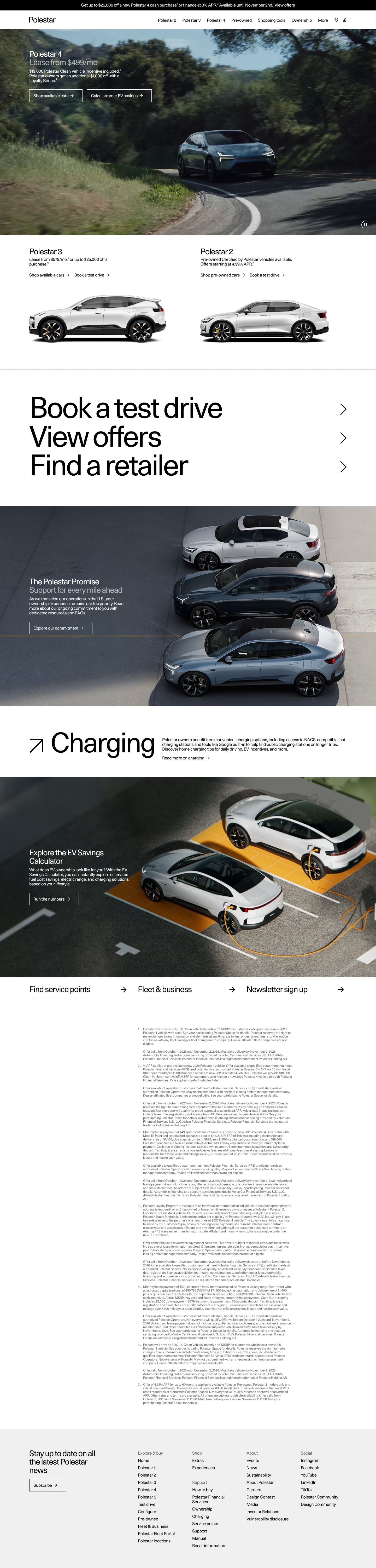
- r1: 1440×424px at page (0, 112); 2 measured layers, 0 icon samples, 0 opaque media layers. screenshots/region-r1-context.jpg, screenshots/region-r1-detail.png
- r2: 1440×788px at page (0, 112); 1 measured layers, 0 icon samples, 1 opaque media layers. screenshots/region-r2-context.jpg, screenshots/region-r2-detail.png
- r3: 1440×515px at page (0, 900); 9 measured layers, 4 icon samples, 2 opaque media layers. screenshots/region-r3-context.jpg, screenshots/region-r3-detail.png, screenshots/region-r3-icons.png

## Component recipes

- primary button: bg #3a3c3f; text #ffffff; border none; radius 9999px; height 48px; padding 0px 0px; type 16px/400; shadow none.
- Card: {"bg":"transparent","border":"none","radius":"0px","padding":"0px","shadow":"rgba(0, 0, 0, 0.3) 1px 0px 0px 0px","w":720,"h":515}.

## Responsive and interaction evidence

- desktop 1440px: content 1216px, gutter 112px, H1 30px, 1 line, start, header 22px, 1 links, grids 5→2 col; 5→2 col; 5→2 col.
- laptop 1024px: content 896px, gutter 64px, H1 30px, 1 line, start, header 22px, 1 links, grids 5→2 col; 5→5 col; 5→2 col.
- tablet 768px: content 672px, gutter 48px, H1 30px, 1 line, start, header 64px, hamburger (Open the menu), grids 2→1 col; 2→1 col; 2→1 col.
- phone 390px: content 343px, gutter 23px, H1 30px, 1 line, start, header 56px, hamburger (Open the menu), grids 2→1 col; 2→1 col; 2→1 col.
H1 goes 30px → 30px (100%), 1 → 1 lines.
Nav collapses to a hamburger by 390px (first seen at 768px); header 22px → 56px.
Card grids: 2 columns → 1 column on phones (gap 0px 32px → 24px).
Body text is 16px at the sampled desktop and phone widths.
- Hover button-primary: no visible change.
- Hover nav-link: no visible change.
- Hover body-link: no visible change.
- Focus button-primary: no visible focus style measured (may rely on :focus-visible with keyboard only).
- Focus body-link: no visible focus style measured (may rely on :focus-visible with keyboard only).
330 elements carry transitions; typical 0.2s with ease, mostly on color, opacity, width. 1 running keyframe animations (onetrust-fade-in 0.4s 1).
No alternate theme verified.

## Logo and icons

Logo not confidently located.
Icon: 8×8px; filled; stroke none observed, caps not applicable.
Icon: 16×16px; filled; stroke none observed, caps not applicable.

## First images to open

- screenshots/desktop-1440-fold.png: Desktop 1440, above the fold
- screenshots/phone-390-fold.png: Phone 390, above the fold

## Verify the build

Render at desktop, 390px and 320px. Inspect the result, compare against the supplied references, fix the largest visible mismatch, and recheck keyboard focus, overflow, navigation and form behavior. Match the visual language while following the requested product content.
Page background comes from body; large surface colors remain in the palette.
The primary action colour is the ink colour (monochrome palette); chromatic colours appear only as small accents.


